
Play Finding Nemo Online
Guide Marlin through ocean levels, dodge hazards, solve puzzles, and find Nemo.
🎮 Game Controls
Make sure the game window is active to play.
- Move
- Btn A
- Btn B
- Btn X
- Btn Y
- / L / R
- Start
- Select
About Finding Nemo
I picked up Finding Nemo for the Game Boy Advance back in 2003, a game developed by Traveller's Tales. It was one of many licensed titles from that era, designed to tie in with the Pixar film. On the small screen, it felt like a natural fit for portable play, a straightforward adventure you could carry in your pocket.
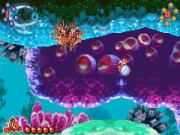
You control Marlin, the anxious clownfish father, as he searches for his lost son, Nemo. The game plays out across side scrolling levels set in different ocean environments. Your main goal is to navigate these areas, avoiding hazards like anglerfish and jellyfish, while also solving simple puzzles to progress. A key mechanic involves using a sonar ping to reveal hidden items and pathways, which adds a layer of exploration. You also collect bubbles to replenish your health and gather pearls to unlock certain gates. The pacing is generally steady, though some sections can feel repetitive, and the difficulty has a few sharp spikes, especially in later levels. It feels like a cautious swim through a vibrant, sometimes dangerous, world.
Must-play games
-
 Jump, punch, and use weapons to knock opponents off platforms in chaotic multiplayer battles.
 -
Jump, crush enemies, and collect coins to reach the exit in this platformer.
-
Explore a vast planet, find power-ups, and battle challenging bosses.
-
Choose a fighter and battle opponents in one-on-one matches with brutal moves.
-
Explore worlds, solve puzzles, defeat enemies, and rescue Princess Zelda.


 Sonic
Sonic Pac-man
 Pokemon
 Ninja Turtles
 Star Wars
 Angry Birds