
Play Mavis Beacon Teaches Typing! Online
Learn touch typing through lessons and racing challenges while tracking your progress.
🎮 Game Controls
Mouse capture required. Tap screen to active.
- Move
- Action / Fire
- Attack / Strafe
- Menu
- Yes / No Answers
About Mavis Beacon Teaches Typing!
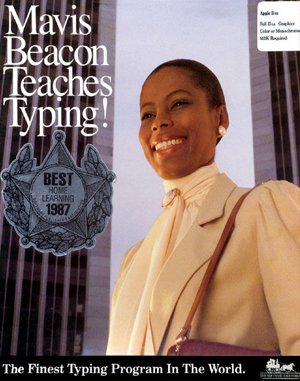
Mavis Beacon Teaches Typing is an educational software program originally released for MS-DOS in 1987. Developed and published by The Software Toolworks, Inc., it is a typing tutor designed to instruct users in touch typing techniques. The program presents its lessons from a first person perspective, simulating a classroom environment where the virtual teacher, Mavis Beacon, guides the user.
The player engages with a series of structured typing lessons. Each lesson is introduced via an on screen chalkboard that displays instructions and the specific keys to be practiced. The player must type the presented words and letter sequences using the correct fingers, with a visual representation of a keyboard and hand placement shown for reference. The initial lessons focus on the home row keys of a standard QWERTY keyboard, though support for the Dvorak layout is available. Progression through the lessons is methodical, building from simple key combinations to more complex words and sentences as the user's familiarity increases.
Beyond the core lessons, the program includes an Arcade Racing mode where players type scrolling text as quickly as possible to compete against computer controlled drivers. The difficulty in this mode escalates, with opponents becoming faster across levels. A comprehensive Progress Graphing system tracks performance over time using more than twenty different parameters, such as speed and accuracy. This data can be used to customize future practice sessions. The software allows for adjustment of various gameplay settings, provides help commentary, and automatically saves the user's progress through the curriculum.
Must-play games
-
 Chase Dr. Animo while dodging enemies and switching between alien forms.
 -
Run and jump through the Mushroom Kingdom, dodging enemies and collecting coins.
-
Navigate platforms, dodge barrels, and rescue characters in this retro arcade adventure.
-
Run fast, collect rings, and avoid enemies to finish levels.
-
Run, jump, defeat enemies, and collect coins in this classic platformer.




 Sonic
Sonic Pac-man
 Pokemon
 Ninja Turtles
 Star Wars
 Angry Birds