
Play Math Blaster Plus! Online
Practice math skills through fun activities involving addition, subtraction, and multiplication.
🎮 Game Controls
Mouse capture required. Tap screen to active.
- Move
- Action / Fire
- Attack / Strafe
- Menu
- Yes / No Answers
About Math Blaster Plus!
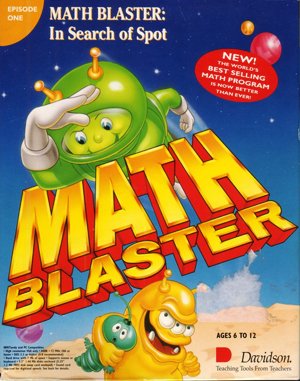
Math Blaster Plus! is an educational software title released in 1987 for the MS-DOS platform. Developed and published by Davidson & Associates, Inc., the game combines math and logic problems within a science fiction setting. It is structured around a central menu system called the Davidson Student Desktop Interface, which allows players to navigate between different activities without using a keyboard for commands.
Players engage with a series of five distinct math activities, each focusing on core subjects such as addition, subtraction, multiplication, division, and fractions. In Countdown, problems and their answers are displayed in a flashcard format for study. The Ignition activity presents math problems where a correct answer triggers a motivational message and animation, and players receive a summary of their performance. Lift-off presents incomplete equations where players must find a missing number, while Orbit displays multiple problems that may contain errors for the player to identify and correct. Both Lift-off and Orbit offer printable certificates upon completion.
The final activity, Blasternaut, introduces a more action-oriented element. Players control a character called a Blasternaut, guiding it into a rocket that corresponds to the correct answer to a displayed math problem. Additional points can be earned by colliding with other floating Blasternauts during this task. The game's math problems are not randomly generated but are drawn from a set of pre-written lessons included in the instruction manual. The software also includes tools for educators to create new lessons, track student progress in a classroom setting, and print out paper-based quizzes from stored lesson data.
Must-play games
-
 Chase Dr. Animo while dodging enemies and switching between alien forms.
 -
Run and jump through the Mushroom Kingdom, dodging enemies and collecting coins.
-
Navigate platforms, dodge barrels, and rescue characters in this retro arcade adventure.
-
Run fast, collect rings, and avoid enemies to finish levels.
-
Run, jump, defeat enemies, and collect coins in this classic platformer.




 Sonic
Sonic Pac-man
 Pokemon
 Ninja Turtles
 Star Wars
 Angry Birds